Animation Student Spotlight - Griffin Mitchell
iAnimate student Griffin Mitchell brings stories to life with thoughtful 3D animation, creativity, and industry-driven training from top professional mentors.
“I gained hands-on experience with industry-standard animation workflows and received direct feedback from top professionals.”
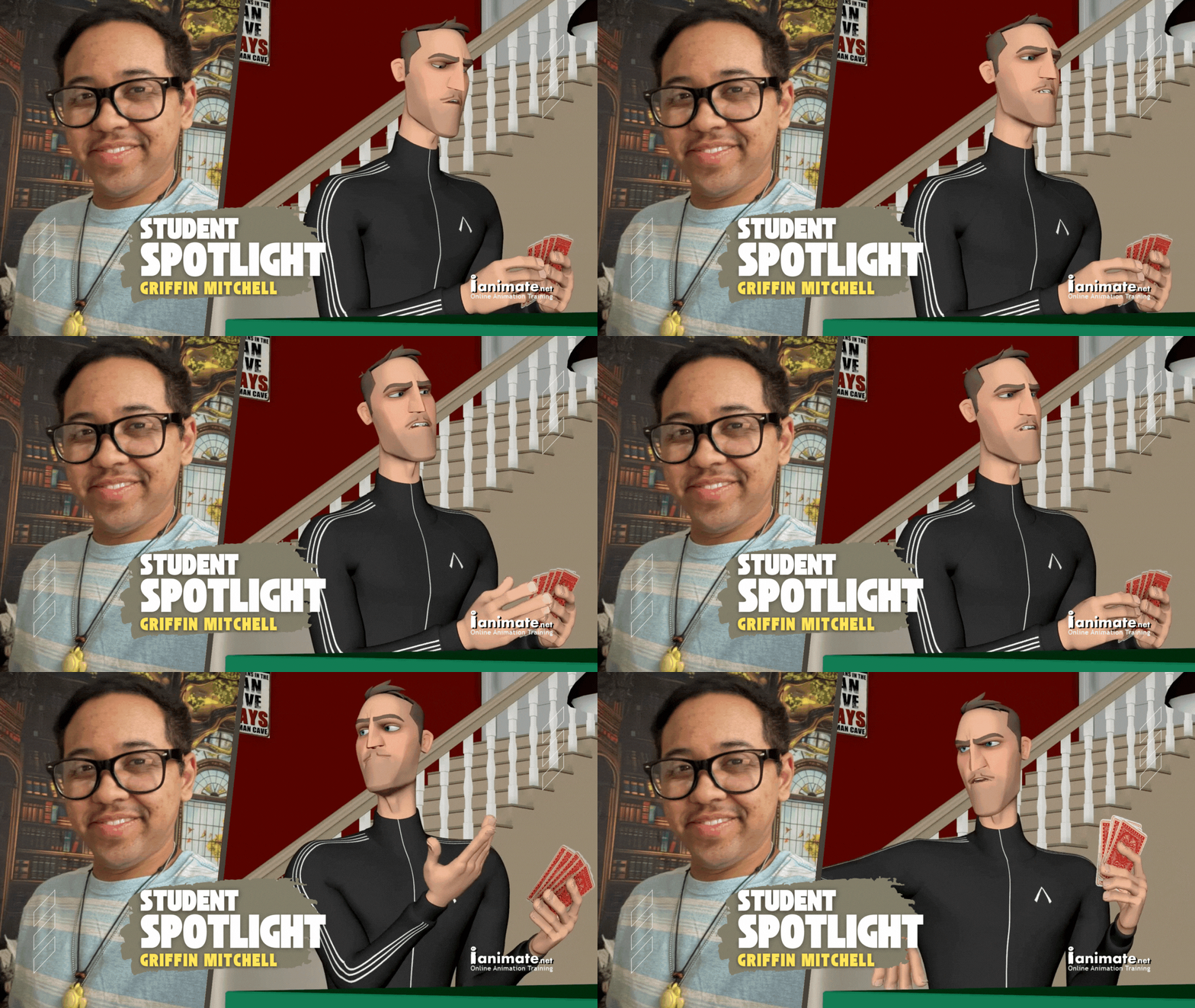
Bringing Stories to Life: iAnimate Student Spotlight on Griffin Mitchell
Meet Griffin Mitchell, a passionate 3D animator who loves bringing stories to life through movement, humor, and heart. With a playful yet purposeful approach to animation, Griffin aims to create work that not only entertains but also inspires audiences of all ages.
Having honed his craft at the Academy of Art University and through collaborations in Studio X, Griffin has developed strong skills in Autodesk Maya, Adobe Photoshop, and After Effects, along with experience in stop motion and motion capture. Influenced by beloved films like Toy Story, How to Train Your Dragon, and Despicable Me, his work reflects a deep appreciation for storytelling that connects with people on an emotional level.
Driven by his desire to grow and learn from industry professionals, Griffin joined iAnimate to refine his animation skills and continue turning imaginative ideas into motion that moves audiences.
“I joined iAnimate because I'm passionate about animation and wanted to commit to improving my skills by learning from the pros.”
Student Animation Journey
Griffin took Feature and Creature Animation Workshops at iAnimate.
Animation Instructors:
- Jim van der Keyl - Singing Frog
- Tal Shwarzman - Pixar Animation Studios
- Marco Foglia - Agora Studio
- Scott Holmes -Cinesite
- Alexis Wanneroy - Fortiche Productions
From Story to Motion: Griffin Mitchell’s Thoughtful Approach to Animation
When tackling a new animation, Griffin approaches each project with the mindset of a storyteller. Here’s Griffin’s creative workflow:
- First thoughts- who is/are my character/s, their state of mind, their surroundings that I can implement into the shot.
- If it's a dialogue shot, what are my acting beats when listening to the audio over and over? Will there be a prop to be handled?
- Then I'll jot down notes for myself on different ways I can play out the scene to give a few different choices of things to do when acting it out. Now is the fun part. Creating the reference.
- Take after take, I want to get the acting right to hopefully nail down a strong feel for what the character is going to be doing.
- I'll then open up Maya. After testing out my rig to know its limitations, I start setting it up with the spaces and rotation order so as not to go into gimble lock and avoid counteranimating as much as possible. Then I move on to bringing in my reference and setting up my camera. I initially make my camera as close to what I have in the reference when blocking my shot. I can always change the camera later to make the shot look more dynamic or dramatic. I'll next go through my reference and pick out my storytelling poses and block them in first, even getting into the facial expressions. I spend the most time on getting those poses right because they are super important for telling the story. Depending on the mentor, some might want to check these first poses to make sure they are working before moving on to the breakdowns and so on. Once I get notes from a mentor, I apply the notes and send them the update before moving on. The polish phase is where I will go through and make sure I have nice arcs in the movements, check my spacing, and take note that I've hit my animation principles.
- If the shot is more heavy on body mechanics, I think where can I push the poses to make them more dynamic and/or appealing?
- After creating a reference or finding some online and possibly editing them together, I'll go through and take notes and do drawings on SyncSketch for myself when blocking my shot. I'll make note of where I can exaggerate to really sell the weight on a fall or find opportunities to make a movement that has a nicer arc to it than in the reference. Then I go through the process of setting up the character, camera, and blocking, and so on.”
“At iAnimate, I gained hands-on experience with industry-standard animation workflows and received direct feedback from top professionals. This helped me refine my technical skills, storytelling abilities, and attention to detail. Learning things like the importance of shot planning really helps to make the whole process of working on a shot smoother and more efficient. Then learning different tools to use while animating is icing on the cake to me since I love exploring new”
[Griffin's current reel]
You can reach Animator Griffin Mitchell via:
Student Spotlight Q&A with Animator Griffin Mitchell
iAnimate: What do you think of your Online Animation Instructor(s), and how do they help you?
Griffin: My online animation instructors at iAnimate have been incredible mentors. Being experienced professionals from leading studios, their feedback is always practical, honest, and rooted in real industry standards. They don’t just teach theory—they share best practices, production tips, and insights from their own careers, which has given me a clear understanding of what studios expect.
iAnimate: How did iAnimate help you to evolve your animation skills as a character animator?
Griffin: iAnimate helped me build my confidence as an animator by exposing me to a variety of approaches for tackling animation challenges. Learning multiple techniques for achieving the same result gave me the flexibility to choose the workflow that best suits my style and the needs of each project. This not only made me more efficient but also empowered me to solve problems creatively and independently, which has greatly boosted my confidence as an animator.
iAnimate: What kind of animator do you consider after taking your student workshops?
Griffin: After completing my workshops at iAnimate, I consider myself a well-rounded and adaptable animator. I’ve developed a strong foundation in animation principles and learned to approach challenges from multiple angles. The hands-on projects and direct feedback from the industry pros have helped me refine both my technical and storytelling skills.
I am industry-ready because I understand the expectations and workflows of professional studios. I’m comfortable taking feedback, meeting deadlines, and collaborating with others to achieve the best results. My training has prepared me to contribute effectively from day one, and I’m confident in my ability to deliver high-quality animation that meets industry standards while also being wide open to learn and exploring more tools and tech for projects when needed.
iAnimate: What kind of project do you want to work on?
Griffin: I’d love to work on a feature film where I can bring strong acting and subtle performance to characters. Those are my strengths and where my passions are, along with emotional storytelling, and I want to push those into full sequences that connect with audiences. Feature studios looking for animators who can handle both nuanced acting shots and dynamic physicality is where I see myself fitting best.
Want to learn what Disney, Pixar, and Blizzard do in their animations?
Be mentored by industry professionals from the leading studios in the industry. Start your animation career and get the dream animation job you want! Learn more about iAnimate and the Workshops that are made just for you.